| title | PostgreSQL extension (preview) |
|---|---|
| titleSuffix | Azure Data Studio |
| description | PostgreSQL extension (preview) for Azure Data Studio |
| ms.custom | seodec18 |
| ms.date | 03/19/2019 |
| ms.reviewer | alayu; sstein |
| ms.prod | sql |
| ms.technology | azure-data-studio |
| ms.topic | conceptual |
| author | rachel-msft |
| ms.author | raagyema |
The PostgreSQL extension (preview) enables you to connect to, query, and develop for Postgres using the capabilities of Azure Data Studio.
The Azure Data Studio functionality available for PostgreSQL includes:
- Connection manager & query editor
- Customizable dashboards & insight widgets
- Code snippets
- Integrated terminal
- Keyboard shortcuts
- Source control integration
- Workspace & user settings
If you don't already have Azure Data Studio installed, see its install instructions.
-
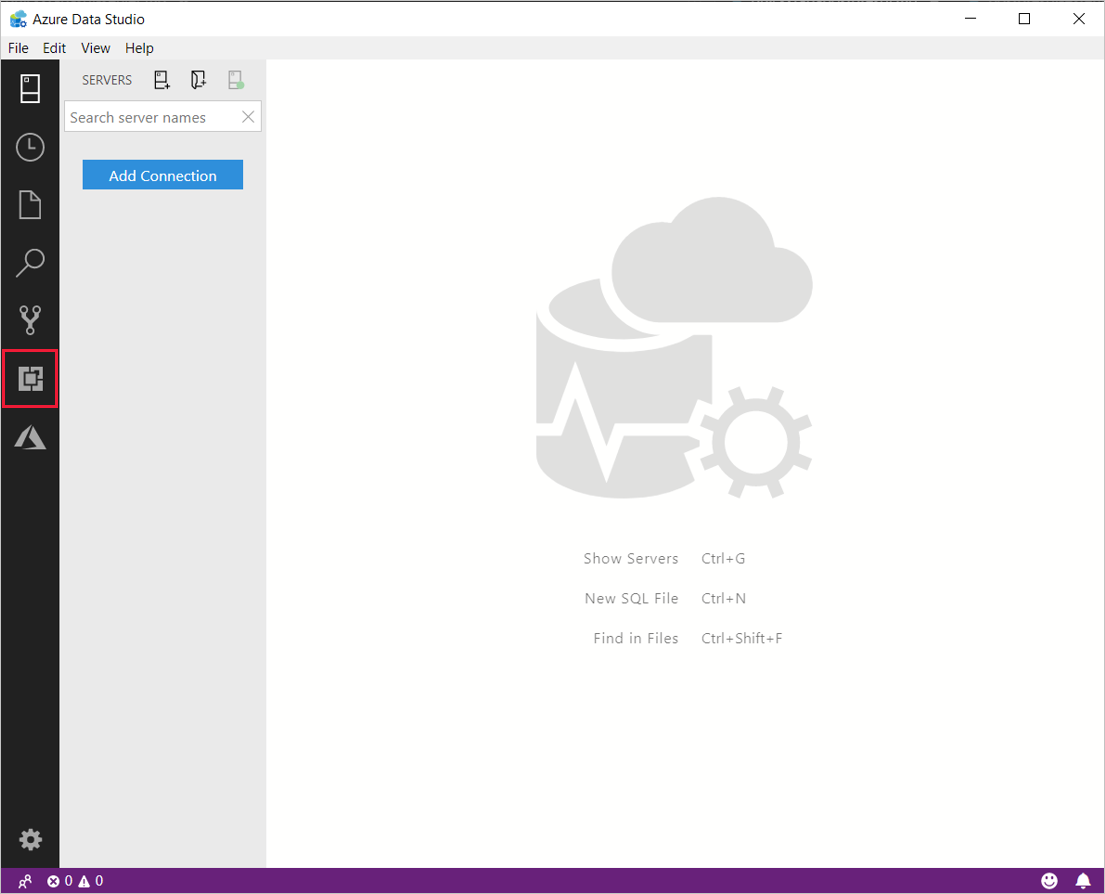
Select the extensions icon from the sidebar in Azure Data Studio.
-
Type 'postgresql' into the search bar. Select the PostgreSQL extension.
-
Select Install. Once installed, select Reload to activate the extension in Azure Data Studio.

Learn how to connect and query Postgres from Azure Data Studio.