| title | Task 7: Viewing Updates Made using Master Data Manager in Excel | Microsoft Docs |
|---|---|
| ms.custom | |
| ms.date | 03/09/2017 |
| ms.prod | sql-server-2014 |
| ms.reviewer | |
| ms.technology | data-quality-services |
| ms.topic | conceptual |
| ms.assetid | c2ff4972-cf18-4d5c-98cd-ec78861a63ce |
| author | lrtoyou1223 |
| ms.author | lle |
| manager | craigg |
In this task, you verify that you see the updated data from MDS in Excel.
-
Now, switch to the excel window that has Cleansed and Matched Suppliers spreadsheet open.
-
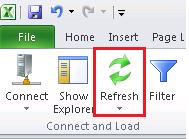
Click Refresh button on the ribbon.
-
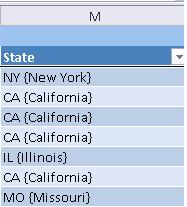
Notice that names show up (California, New York etc...) for the State field along with their codes.