---
title: "Row-Level Security | Microsoft Docs"
ms.custom: ""
ms.date: "05/14/2019"
ms.prod: sql
ms.prod_service: "database-engine, sql-database, sql-data-warehouse"
ms.reviewer: ""
ms.technology: "security"
ms.topic: conceptual
helpviewer_keywords:
- "access control predicates"
- "row level security"
- "security [SQL Server], predicate based access control"
- "row level security described"
- "predicate based security"
ms.assetid: 7221fa4e-ca4a-4d5c-9f93-1b8a4af7b9e8
author: VanMSFT
ms.author: vanto
monikerRange: "=azuresqldb-current||=azure-sqldw-latest||>=sql-server-2016||=sqlallproducts-allversions||>=sql-server-linux-2017||=azuresqldb-mi-current"
---
# Row-Level Security
[!INCLUDE[appliesto-ss-asdb-asdw-xxx-md](../../includes/appliesto-ss-asdb-asdw-xxx-md.md)]
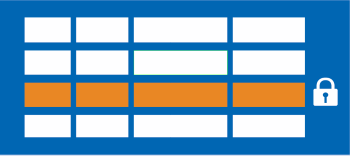
Row-Level Security enables you to use group membership or execution context to control access to rows in a database table.
Row-Level Security (RLS) simplifies the design and coding of security in your application. RLS helps you implement restrictions on data row access. For example, you can ensure that workers access only those data rows that are pertinent to their department. Another example is to restrict customers' data access to only the data relevant to their company.
The access restriction logic is located in the database tier rather than away from the data in another application tier. The database system applies the access restrictions every time that data access is attempted from any tier. This makes your security system more reliable and robust by reducing the surface area of your security system.
Implement RLS by using the [CREATE SECURITY POLICY](../../t-sql/statements/create-security-policy-transact-sql.md)[!INCLUDE[tsql](../../includes/tsql-md.md)] statement, and predicates created as [inline table-valued functions](../../relational-databases/user-defined-functions/create-user-defined-functions-database-engine.md).
**Applies to**: [!INCLUDE[ssNoVersion](../../includes/ssnoversion-md.md)] ([!INCLUDE[ssSQL15](../../includes/sssql15-md.md)] through [current version](https://go.microsoft.com/fwlink/p/?LinkId=299658)), [!INCLUDE[sqldbesa](../../includes/sqldbesa-md.md)] ([Get it](https://azure.microsoft.com/documentation/articles/sql-database-preview-whats-new/?WT.mc_id=TSQL_GetItTag)), [!INCLUDE[ssSDW](../../includes/sssdw-md.md)].
> [!NOTE]
> Azure SQL Data Warehouse supports filter predicates only. Block predicates aren't currently supported in Azure SQL Data Warehouse.
## Description
RLS supports two types of security predicates.
- Filter predicates silently filter the rows available to read operations (SELECT, UPDATE, and DELETE).
- Block predicates explicitly block write operations (AFTER INSERT, AFTER UPDATE, BEFORE UPDATE, BEFORE DELETE) that violate the predicate.
Access to row-level data in a table is restricted by a security predicate defined as an inline table-valued function. The function is then invoked and enforced by a security policy. For filter predicates, the application is unaware of rows that are filtered from the result set. If all rows are filtered, then a null set will be returned. For block predicates, any operations that violate the predicate will fail with an error.
Filter predicates are applied while reading data from the base table. They affect all get operations: **SELECT**, **DELETE** and **UPDATE**. The users can't select or delete rows that are filtered. The user can't update rows that are filtered. But, it's possible to update rows in such a way that they'll be filtered afterward. Block predicates affect all write operations.
- AFTER INSERT and AFTER UPDATE predicates can prevent users from updating rows to values that violate the predicate.
- BEFORE UPDATE predicates can prevent users from updating rows that currently violate the predicate.
- BEFORE DELETE predicates can block delete operations.
Both filter and block predicates and security policies have the following behavior:
- You may define a predicate function that joins with another table and/or invokes a function. If the security policy is created with `SCHEMABINDING = ON` (the default), then the join or function is accessible from the query and works as expected without any additional permission checks. If the security policy is created with `SCHEMABINDING = OFF`, then users will need **SELECT** permissions on these additional tables and functions to query the target table. If the predicate function invokes a CLR scalar-valued function, the **EXECUTE** permission is needed in addition.
- You may issue a query against a table that has a security predicate defined but disabled. Any rows that are filtered or blocked aren't affected.
- If a dbo user, a member of the **db_owner** role, or the table owner queries a table that has a security policy defined and enabled, the rows are filtered or blocked as defined by the security policy.
- Attempts to alter the schema of a table bound by a schema bound security policy will result in an error. However, columns not referenced by the predicate can be altered.
- Attempts to add a predicate on a table that already has one defined for the specified operation results in an error. This will happen whether the predicate is enabled or not.
- Attempts to modify a function, that is used as a predicate on a table within a schema bound security policy, will result in an error.
- Defining multiple active security policies that contain non-overlapping predicates, succeeds.
Filter predicates have the following behavior:
- Define a security policy that filters the rows of a table. The application is unaware of any rows that are filtered for **SELECT**, **UPDATE**, and **DELETE** operations. Including situations where all the rows are filtered out. The application can **INSERT** rows, even if they will be filtered during any other operation.
Block predicates have the following behavior:
- Block predicates for UPDATE are split into separate operations for BEFORE and AFTER. Consequently, you can't, for example, block users from updating a row to have a value higher than the current one. If this kind of logic is required, you must use triggers with the [DELETED and INSERTED](../triggers/use-the-inserted-and-deleted-tables.md) intermediate tables to reference the old and new values together.
- The optimizer will not check an AFTER UPDATE block predicate if the columns used by the predicate function weren't changed. For example: Alice shouldn't be able to change a salary to be greater than 100,000. Alice can change the address of an employee whose salary is already greater than 100,000 as long as the columns referenced in the predicate weren't changed.
- No changes have been made to the bulk APIs, including BULK INSERT. This means that block predicates AFTER INSERT will apply to bulk insert operations just as they would regular insert operations.
## Use Cases
Here are design examples of how RLS can be used:
- A hospital can create a security policy that allows nurses to view data rows for their patients only.
- A bank can create a policy to restrict access to financial data rows based on an employee's business division or role in the company.
- A multi-tenant application can create a policy to enforce a logical separation of each tenant's data rows from every other tenant's rows. Efficiencies are achieved by the storage of data for many tenants in a single table. Each tenant can see only its data rows.
RLS filter predicates are functionally equivalent to appending a **WHERE** clause. The predicate can be as sophisticated as business practices dictate, or the clause can be as simple as `WHERE TenantId = 42`.
In more formal terms, RLS introduces predicate based access control. It features a flexible, centralized, predicate-based evaluation. The predicate can be based on metadata or any other criteria the administrator determines as appropriate. The predicate is used as a criterion to determine if the user has the appropriate access to the data based on user attributes. Label-based access control can be implemented by using predicate-based access control.
## Permissions
Creating, altering, or dropping security policies requires the **ALTER ANY SECURITY POLICY** permission. Creating or dropping a security policy requires **ALTER** permission on the schema.
Additionally the following permissions are required for each predicate that is added:
- **SELECT** and **REFERENCES** permissions on the function being used as a predicate.
- **REFERENCES** permission on the target table being bound to the policy.
- **REFERENCES** permission on every column from the target table used as arguments.
Security policies apply to all users, including dbo users in the database. Dbo users can alter or drop security policies however their changes to security policies can be audited. If high privileged users, such as sysadmin or db_owner, need to see all rows to troubleshoot or validate data, the security policy must be written to allow that.
If a security policy is created with `SCHEMABINDING = OFF`, then to query the target table, users must have the **SELECT** or **EXECUTE** permission on the predicate function and any additional tables, views, or functions used within the predicate function. If a security policy is created with `SCHEMABINDING = ON` (the default), then these permission checks are bypassed when users query the target table.
## Best Practices
- It's highly recommended to create a separate schema for the RLS objects: predicate functions, and security policies. This helps to separate the permissions that are required on these special objects from the target tables. Additional separation for different policies and predicate functions may be needed in multi-tenant-databases, but not as a standard for every case.
- The **ALTER ANY SECURITY POLICY** permission is intended for highly privileged users (such as a security policy manager). The security policy manager doesn't require **SELECT** permission on the tables they protect.
- Avoid type conversions in predicate functions to avoid potential runtime errors.
- Avoid recursion in predicate functions wherever possible to avoid performance degradation. The query optimizer will try to detect direct recursions, but isn't guaranteed to find indirect recursions. An indirect recursion is where a second function calls the predicate function.
- Avoid using excessive table joins in predicate functions to maximize performance.
Avoid predicate logic that depends on session-specific [SET options](../../t-sql/statements/set-statements-transact-sql.md): While unlikely to be used in practical applications, predicate functions whose logic depends on certain session-specific **SET** options can leak information if users are able to execute arbitrary queries. For example, a predicate function that implicitly converts a string to **datetime** could filter different rows based on the **SET DATEFORMAT** option for the current session. In general, predicate functions should abide by the following rules:
- Predicate functions should not implicitly convert character strings to **date**, **smalldatetime**, **datetime**, **datetime2**, or **datetimeoffset**, or vice versa, because these conversions are affected by the [SET DATEFORMAT (Transact-SQL)](../../t-sql/statements/set-dateformat-transact-sql.md) and [SET LANGUAGE (Transact-SQL)](../../t-sql/statements/set-language-transact-sql.md) options. Instead, use the **CONVERT** function and explicitly specify the style parameter.
- Predicate functions should not rely on the value of the first day of the week, because this value is affected by the [SET DATEFIRST (Transact-SQL)](../../t-sql/statements/set-datefirst-transact-sql.md) option.
- Predicate functions should not rely on arithmetic or aggregation expressions returning **NULL** if they error (such as overflow or divide-by-zero), because this behavior is affected by the [SET ANSI_WARNINGS (Transact-SQL)](../../t-sql/statements/set-ansi-warnings-transact-sql.md), [SET NUMERIC_ROUNDABORT (Transact-SQL)](../../t-sql/statements/set-numeric-roundabort-transact-sql.md), and [SET ARITHABORT (Transact-SQL)](../../t-sql/statements/set-arithabort-transact-sql.md) options.
- Predicate functions should not compare concatenated strings with **NULL**, because this behavior is affected by the [SET CONCAT_NULL_YIELDS_NULL (Transact-SQL)](../../t-sql/statements/set-concat-null-yields-null-transact-sql.md) option.
## Security Note: Side-Channel Attacks
### Malicious security policy manager
It is important to observe that a malicious security policy manager, with sufficient permissions to create a security policy on top of a sensitive column and having permission to create or alter inline table-valued functions, can collude with another user who has select permissions on a table to perform data exfiltration by maliciously creating inline table-valued functions designed to use side channel attacks to infer data. Such attacks would require collusion (or excessive permissions granted to a malicious user) and would likely require several iterations of modifying the policy (requiring permission to remove the predicate in order to break the schema binding), modifying the inline table-valued functions, and repeatedly running select statements on the target table. We recommend you limit permissions as necessary and monitor for any suspicious activity. Activity such as constantly changing policies and inline table-valued functions related to row-level security should be monitored.
### Carefully crafted queries
It is possible to cause information leakage through the use of carefully crafted queries. For example, `SELECT 1/(SALARY-100000) FROM PAYROLL WHERE NAME='John Doe'` would let a malicious user know that John Doe's salary is $100,000. Even though there is a security predicate in place to prevent a malicious user from directly querying other people's salary, the user can determine when the query returns a divide-by-zero exception.
## Cross-Feature Compatibility
In general, row-level security will work as expected across features. However, there are a few exceptions. This section documents several notes and caveats for using row-level security with certain other features of [!INCLUDE[ssNoVersion](../../includes/ssnoversion-md.md)].
- **DBCC SHOW_STATISTICS** reports statistics on unfiltered data, and can leak information otherwise protected by a security policy. For this reason, access to view a statistics object for a table with a row-level security policy is restricted. The user must own the table or the user must be a member of the sysadmin fixed server role, the db_owner fixed database role, or the db_ddladmin fixed database role.
- **Filestream:** RLS is incompatible with Filestream.
- **PolyBase:** RLS is supported with Polybase external tables for Azure SQL Data Warehouse only.
- **Memory-Optimized Tables:** The inline table-valued function used as a security predicate on a memory-optimized table must be defined using the `WITH NATIVE_COMPILATION` option. With this option, language features not supported by memory-optimized tables will be banned and the appropriate error will be issued at creation time. For more information, see the **Row-Level Security in Memory Optimized Tables** section in [Introduction to Memory-Optimized Tables](../../relational-databases/in-memory-oltp/introduction-to-memory-optimized-tables.md).
- **Indexed views:** In general, security policies can be created on top of views, and views can be created on top of tables that are bound by security policies. However, indexed views cannot be created on top of tables that have a security policy, because row lookups via the index would bypass the policy.
- **Change Data Capture:** Change Data Capture can leak entire rows that should be filtered to members of **db_owner** or users who are members of the "gating" role specified when CDC is enabled for a table (note: you can explicitly set this function to **NULL** to enable all users to access the change data). In effect, **db_owner** and members of this gating role can see all data changes on a table, even if there is a security policy on the table.
- **Change Tracking:** Change Tracking can leak the primary key of rows that should be filtered to users with both **SELECT** and **VIEW CHANGE TRACKING** permissions. Actual data values are not leaked; only the fact that column A was updated/inserted/deleted for the row with B primary key. This is problematic if the primary key contains a confidential element, such as a Social Security Number. However, in practice, this **CHANGETABLE** is almost always joined with the original table in order to get the latest data.
- **Full-Text Search:** A performance hit is expected for queries using the following Full-Text Search and Semantic Search functions, because of an extra join introduced to apply row-level security and avoid leaking the primary keys of rows that should be filtered: **CONTAINSTABLE**, **FREETEXTTABLE**, semantickeyphrasetable, semanticsimilaritydetailstable, semanticsimilaritytable.
- **Columnstore Indexes:** RLS is compatible with both clustered and nonclustered columnstore indexes. However, because row-level security applies a function, it is possible that the optimizer may modify the query plan so that it doesn't use batch mode.
- **Partitioned Views:** Block predicates cannot be defined on partitioned views, and partitioned views cannot be created on top of tables that use block predicates. Filter predicates are compatible with partitioned views.
- **Temporal tables:** Temporal tables are compatible with RLS. However, security predicates on the current table are not automatically replicated to the history table. To apply a security policy to both the current and the history tables, you must individually add a security predicate on each table.
## Examples
### A. Scenario for users who authenticate to the database
This example creates three users and creates and populates a table with six rows. It then creates an inline table-valued function and a security policy for the table. The example then shows how select statements are filtered for the various users.
Create three user accounts that will demonstrate different access capabilities.
> [!NOTE]
> Azure SQL Data Warehouse doesn't support EXECUTE AS USER, so you must CREATE LOGIN for each user beforehand. Later, you will log in as the appropriate user to test this behavior.
```sql
CREATE USER Manager WITHOUT LOGIN;
CREATE USER Sales1 WITHOUT LOGIN;
CREATE USER Sales2 WITHOUT LOGIN;
```
Create a table to hold data.
```sql
CREATE TABLE Sales
(
OrderID int,
SalesRep sysname,
Product varchar(10),
Qty int
);
```
Populate the table with six rows of data, showing three orders for each sales representative.
```sql
INSERT INTO Sales VALUES (1, 'Sales1', 'Valve', 5);
INSERT INTO Sales VALUES (2, 'Sales1', 'Wheel', 2);
INSERT INTO Sales VALUES (3, 'Sales1', 'Valve', 4);
INSERT INTO Sales VALUES (4, 'Sales2', 'Bracket', 2);
INSERT INTO Sales VALUES (5, 'Sales2', 'Wheel', 5);
INSERT INTO Sales VALUES (6, 'Sales2', 'Seat', 5);
-- View the 6 rows in the table
SELECT * FROM Sales;
```
Grant read access on the table to each of the users.
```sql
GRANT SELECT ON Sales TO Manager;
GRANT SELECT ON Sales TO Sales1;
GRANT SELECT ON Sales TO Sales2;
```
Create a new schema, and an inline table-valued function. The function returns 1 when a row in the SalesRep column is the same as the user executing the query (`@SalesRep = USER_NAME()`) or if the user executing the query is the Manager user (`USER_NAME() = 'Manager'`).
```sql
CREATE SCHEMA Security;
GO
CREATE FUNCTION Security.fn_securitypredicate(@SalesRep AS sysname)
RETURNS TABLE
WITH SCHEMABINDING
AS
RETURN SELECT 1 AS fn_securitypredicate_result
WHERE @SalesRep = USER_NAME() OR USER_NAME() = 'Manager';
```
Create a security policy adding the function as a filter predicate. The state must be set to ON to enable the policy.
```sql
CREATE SECURITY POLICY SalesFilter
ADD FILTER PREDICATE Security.fn_securitypredicate(SalesRep)
ON dbo.Sales
WITH (STATE = ON);
```
Allow SELECT permissions to the fn_securitypredicate function
```sql
GRANT SELECT ON security.fn_securitypredicate TO Manager;
GRANT SELECT ON security.fn_securitypredicate TO Sales1;
GRANT SELECT ON security.fn_securitypredicate TO Sales2;
```
Now test the filtering predicate, by selected from the Sales table as each user.
```sql
EXECUTE AS USER = 'Sales1';
SELECT * FROM Sales;
REVERT;
EXECUTE AS USER = 'Sales2';
SELECT * FROM Sales;
REVERT;
EXECUTE AS USER = 'Manager';
SELECT * FROM Sales;
REVERT;
```
> [!NOTE]
> Azure SQL Data Warehouse doesn't support EXECUTE AS USER, so log in as the appropriate user to test the above behavior.
The Manager should see all six rows. The Sales1 and Sales2 users should only see their own sales.
Alter the security policy to disable the policy.
```sql
ALTER SECURITY POLICY SalesFilter
WITH (STATE = OFF);
```
Now Sales1 and Sales2 users can see all six rows.
Connect to the SQL database to clean up resources
```sql
DROP USER Sales1;
DROP USER Sales2;
DROP USER Manager;
DROP SECURITY POLICY SalesFilter;
DROP TABLE Sales;
DROP FUNCTION Security.fn_securitypredicate;
DROP SCHEMA Security;
```
### B. Scenarios for using Row Level Security on an Azure SQL Data Warehouse external table
This short example creates three users and an external table with six rows. It then creates an inline table-valued function and a security policy for the external table. The example shows how select statements are filtered for the various users.
Create three user accounts that will demonstrate different access capabilities.
```sql
CREATE LOGIN Manager WITH PASSWORD = 'somepassword'
GO
CREATE LOGIN Sales1 WITH PASSWORD = 'somepassword'
GO
CREATE LOGIN Sales2 WITH PASSWORD = 'somepassword'
GO
CREATE USER Manager FOR LOGIN Manager;
CREATE USER Sales1 FOR LOGIN Sales1;
CREATE USER Sales2 FOR LOGIN Sales2 ;
```
Create a table to hold data.
```sql
CREATE TABLE Sales
(
OrderID int,
SalesRep sysname,
Product varchar(10),
Qty int
);
```
Populate the table with six rows of data, showing three orders for each sales representative.
```sql
INSERT INTO Sales VALUES (1, 'Sales1', 'Valve', 5);
INSERT INTO Sales VALUES (2, 'Sales1', 'Wheel', 2);
INSERT INTO Sales VALUES (3, 'Sales1', 'Valve', 4);
INSERT INTO Sales VALUES (4, 'Sales2', 'Bracket', 2);
INSERT INTO Sales VALUES (5, 'Sales2', 'Wheel', 5);
INSERT INTO Sales VALUES (6, 'Sales2', 'Seat', 5);
-- View the 6 rows in the table
SELECT * FROM Sales;
```
Create an Azure SQL Data Warehouse external table from the Sales table created.
```sql
CREATE MASTER KEY ENCRYPTION BY PASSWORD = 'somepassword';
CREATE DATABASE SCOPED CREDENTIAL msi_cred WITH IDENTITY = 'Managed Service Identity';
CREATE EXTERNAL DATA SOURCE ext_datasource_with_abfss WITH (TYPE = hadoop, LOCATION = 'abfss://myfile@mystorageaccount.dfs.core.windows.net', CREDENTIAL = msi_cred);
CREATE EXTERNAL FILE FORMAT MSIFormat WITH (FORMAT_TYPE=DELIMITEDTEXT);
CREATE EXTERNAL TABLE Sales_ext WITH (LOCATION='RLSExtTabletest.tbl', DATA_SOURCE=ext_datasource_with_abfss, FILE_FORMAT=MSIFormat, REJECT_TYPE=Percentage, REJECT_SAMPLE_VALUE=100, REJECT_VALUE=100)
AS SELECT * FROM sales;
```
Grant SELECT for the three users external table.
```sql
GRANT SELECT ON Sales_ext TO Sales1;
GRANT SELECT ON Sales_ext TO Sales2;
GRANT SELECT ON Sales_ext TO Manager;
```
Create a security policy on external table using the function in session A as a filter predicate. The state must be set to ON to enable the policy.
```sql
CREATE SECURITY POLICY SalesFilter_ext
ADD FILTER PREDICATE Security.fn_securitypredicate(SalesRep)
ON dbo.Sales_ext
WITH (STATE = ON);
```
Now test the filtering predicate, by selecting from the Sales_ext external table. Sign in as each user, Sales1, Sales2, and manager. Run the following command as each user.
```sql
SELECT * FROM Sales_ext;
```
The Manager should see all six rows. The Sales1 and Sales2 users should only see their sales.
Alter the security policy to disable the policy.
```sql
ALTER SECURITY POLICY SalesFilter_ext
WITH (STATE = OFF);
```
Now the Sales1 and Sales2 users can see all six rows.
Connect to the SQL Data Warehouse database to clean up resources
```sql
DROP USER Sales1;
DROP USER Sales2;
DROP USER Manager;
DROP SECURITY POLICY SalesFilter_ext;
DROP TABLE Sales;
DROP EXTERNAL TABLE Sales_ext;
DROP EXTERNAL DATA SOURCE ext_datasource_with_abfss ;
DROP EXTERNAL FILE FORMAT MSIFormat;
DROP DATABASE SCOPED CREDENTIAL msi_cred;
DROP MASTER KEY;
```
Connect to logical master to clean up resources.
```sql
DROP LOGIN Sales1;
DROP LOGIN Sales2;
DROP LOGIN Manager;
```
### C. Scenario for users who connect to the database through a middle-tier application
> [!NOTE]
> In this example block predicates functionality isn't currently supported for Azure SQL Data Warehouse, hence inserting rows for the wrong user ID isn't blocked with Azure SQL Data Warehouse.
This example shows how a middle-tier application can implement connection filtering, where application users (or tenants) share the same [!INCLUDE[ssNoVersion](../../includes/ssnoversion-md.md)] user (the application). The application sets the current application user ID in [SESSION_CONTEXT (Transact-SQL)](../../t-sql/functions/session-context-transact-sql.md) after connecting to the database, and then security policies transparently filter rows that shouldn't be visible to this ID, and also block the user from inserting rows for the wrong user ID. No other app changes are necessary.
Create a table to hold data.
```sql
CREATE TABLE Sales (
OrderId int,
AppUserId int,
Product varchar(10),
Qty int
);
```
Populate the table with six rows of data, showing three orders for each application user.
```sql
INSERT Sales VALUES
(1, 1, 'Valve', 5),
(2, 1, 'Wheel', 2),
(3, 1, 'Valve', 4),
(4, 2, 'Bracket', 2),
(5, 2, 'Wheel', 5),
(6, 2, 'Seat', 5);
```
Create a low-privileged user that the application will use to connect.
```sql
-- Without login only for demo
CREATE USER AppUser WITHOUT LOGIN;
GRANT SELECT, INSERT, UPDATE, DELETE ON Sales TO AppUser;
-- Never allow updates on this column
DENY UPDATE ON Sales(AppUserId) TO AppUser;
```
Create a new schema and predicate function, which will use the application user ID stored in **SESSION_CONTEXT** to filter rows.
```sql
CREATE SCHEMA Security;
GO
CREATE FUNCTION Security.fn_securitypredicate(@AppUserId int)
RETURNS TABLE
WITH SCHEMABINDING
AS
RETURN SELECT 1 AS fn_securitypredicate_result
WHERE
DATABASE_PRINCIPAL_ID() = DATABASE_PRINCIPAL_ID('AppUser')
AND CAST(SESSION_CONTEXT(N'UserId') AS int) = @AppUserId;
GO
```
Create a security policy that adds this function as a filter predicate and a block predicate on `Sales`. The block predicate only needs **AFTER INSERT**, because **BEFORE UPDATE** and **BEFORE DELETE** are already filtered, and **AFTER UPDATE** is unnecessary because the `AppUserId` column cannot be updated to other values, due to the column permission set earlier.
```sql
CREATE SECURITY POLICY Security.SalesFilter
ADD FILTER PREDICATE Security.fn_securitypredicate(AppUserId)
ON dbo.Sales,
ADD BLOCK PREDICATE Security.fn_securitypredicate(AppUserId)
ON dbo.Sales AFTER INSERT
WITH (STATE = ON);
```
Now we can simulate the connection filtering by selecting from the `Sales` table after setting different user IDs in **SESSION_CONTEXT**. In practice, the application is responsible for setting the current user ID in **SESSION_CONTEXT** after opening a connection.
```sql
EXECUTE AS USER = 'AppUser';
EXEC sp_set_session_context @key=N'UserId', @value=1;
SELECT * FROM Sales;
GO
/* Note: @read_only prevents the value from changing again until the connection is closed (returned to the connection pool)*/
EXEC sp_set_session_context @key=N'UserId', @value=2, @read_only=1;
SELECT * FROM Sales;
GO
INSERT INTO Sales VALUES (7, 1, 'Seat', 12); -- error: blocked from inserting row for the wrong user ID
GO
REVERT;
GO
```
Clean up database resources.
```sql
DROP USER AppUser;
DROP SECURITY POLICY Security.SalesFilter;
DROP TABLE Sales;
DROP FUNCTION Security.fn_securitypredicate;
DROP SCHEMA Security;
```
## See Also
[CREATE SECURITY POLICY (Transact-SQL)](../../t-sql/statements/create-security-policy-transact-sql.md)
[ALTER SECURITY POLICY (Transact-SQL)](../../t-sql/statements/alter-security-policy-transact-sql.md)
[DROP SECURITY POLICY (Transact-SQL)](../../t-sql/statements/drop-security-policy-transact-sql.md)
[CREATE FUNCTION (Transact-SQL)](../../t-sql/statements/create-function-transact-sql.md)
[SESSION_CONTEXT (Transact-SQL)](../../t-sql/functions/session-context-transact-sql.md)
[sp_set_session_context (Transact-SQL)](../../relational-databases/system-stored-procedures/sp-set-session-context-transact-sql.md)
[sys.security_policies (Transact-SQL)](../../relational-databases/system-catalog-views/sys-security-policies-transact-sql.md)
[sys.security_predicates (Transact-SQL)](../../relational-databases/system-catalog-views/sys-security-predicates-transact-sql.md)
[Create User-defined Functions (Database Engine)](../../relational-databases/user-defined-functions/create-user-defined-functions-database-engine.md)