---
title: T-SQL differences between SQL Server & Azure SQL Managed Instance
description: This article discusses the Transact-SQL (T-SQL) differences between an Azure SQL Managed Instance and SQL Server.
author: danimir
ms.author: danil
ms.reviewer: mathoma, bonova, danil
ms.date: 08/15/2022
ms.service: sql-managed-instance
ms.subservice: service-overview
ms.topic: reference
ms.custom:
- seoapril2019
- sqldbrb=1
---
# T-SQL differences between SQL Server & Azure SQL Managed Instance
[!INCLUDE[appliesto-sqlmi](../includes/appliesto-sqlmi.md)]
This article summarizes and explains the differences in syntax and behavior between Azure SQL Managed Instance and SQL Server.
SQL Managed Instance provides high compatibility with the SQL Server database engine, and most features are supported in a SQL Managed Instance.
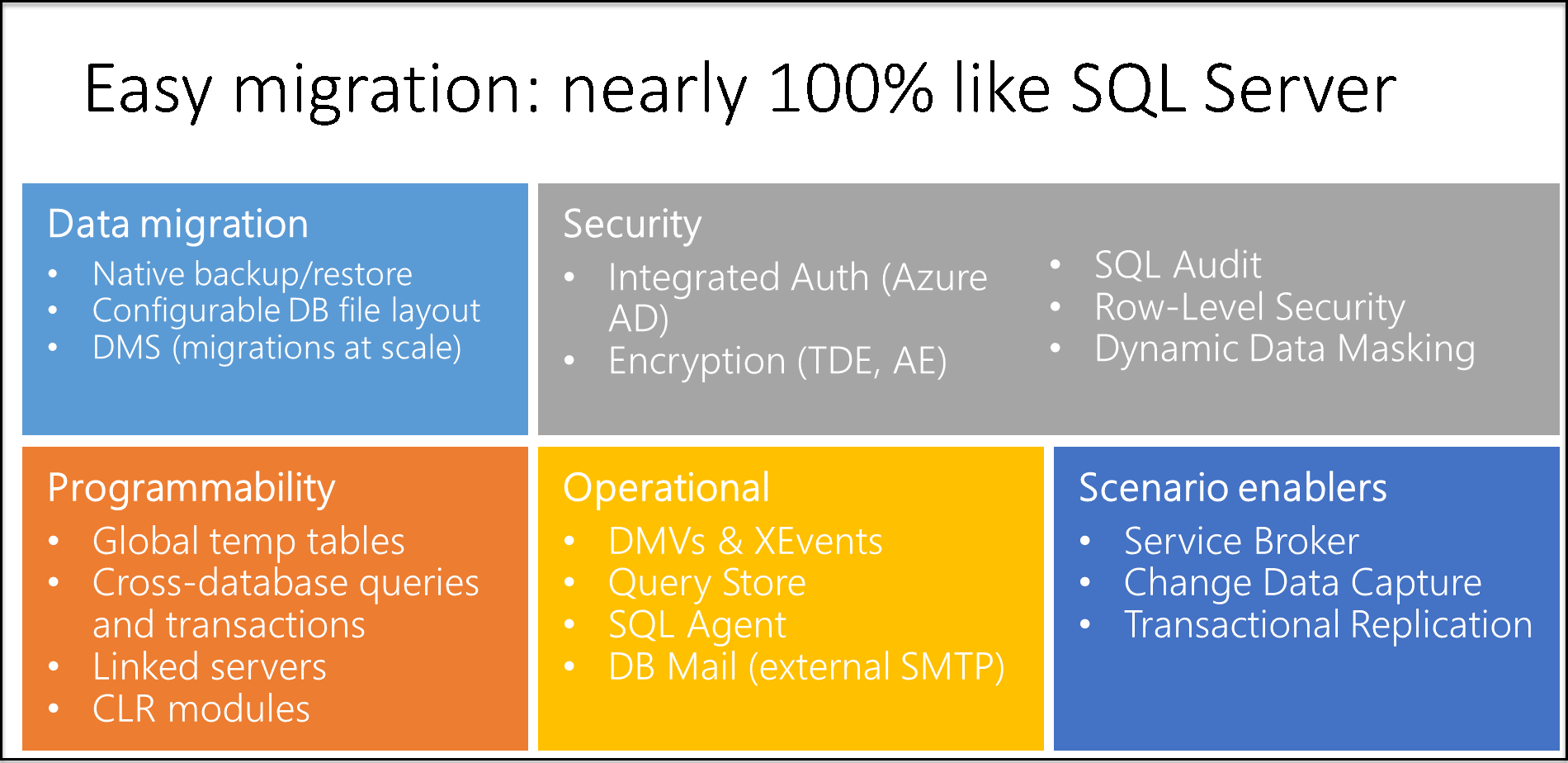
There are some PaaS limitations that are introduced in SQL Managed Instance and some behavior changes compared to SQL Server. The differences are divided into the following categories:
- [Availability](#availability) includes the differences in [Always On Availability Groups](#always-on-availability-groups) and [backups](#backup).
- [Security](#security) includes the differences in [auditing](#auditing), [certificates](#certificates), [credentials](#credential), [cryptographic providers](#cryptographic-providers), [logins and users](#logins-and-users), and the [service key and service master key](#service-key-and-service-master-key).
- [Configuration](#configuration) includes the differences in [buffer pool extension](#buffer-pool-extension), [collation](#collation), [compatibility levels](#compatibility-levels), [database mirroring](#database-mirroring), [database options](#database-options), [SQL Server Agent](#sql-server-agent), and [table options](#tables).
- [Functionalities](#functionalities) include [BULK INSERT/OPENROWSET](#bulk-insert--openrowset), [CLR](#clr), [DBCC](#dbcc), [distributed transactions](#distributed-transactions), [extended events](#extended-events), [external libraries](#external-libraries), [filestream and FileTable](#filestream-and-filetable), [full-text Semantic Search](#full-text-semantic-search), [linked servers](#linked-servers), [PolyBase](#polybase), [Replication](#replication), [RESTORE](#restore-statement), [Service Broker](#service-broker), [stored procedures, functions, and triggers](#stored-procedures-functions-and-triggers).
- [Environment settings](#Environment) such as VNets and subnet configurations.
Most of these features are architectural constraints and represent service features.
Temporary known issues that are discovered in SQL Managed Instance and will be resolved in the future are described in [What's new?](doc-changes-updates-release-notes-whats-new.md).
## Availability
### Always On Availability Groups
[High availability](../database/high-availability-sla.md) is built into SQL Managed Instance and can't be controlled by users. The following statements aren't supported:
- [CREATE ENDPOINT … FOR DATABASE_MIRRORING](/sql/t-sql/statements/create-endpoint-transact-sql)
- [CREATE AVAILABILITY GROUP](/sql/t-sql/statements/create-availability-group-transact-sql)
- [ALTER AVAILABILITY GROUP](/sql/t-sql/statements/alter-availability-group-transact-sql)
- [DROP AVAILABILITY GROUP](/sql/t-sql/statements/drop-availability-group-transact-sql)
- The [SET HADR](/sql/t-sql/statements/alter-database-transact-sql-set-hadr) clause of the [ALTER DATABASE](/sql/t-sql/statements/alter-database-transact-sql) statement
### Backup
Azure SQL Managed Instance has automatic backups, so users can create full database `COPY_ONLY` backups. Differential, log, and file snapshot backups aren't supported.
- With a SQL Managed Instance, you can back up an instance database only to an Azure Blob storage account:
- Only `BACKUP TO URL` is supported.
- `FILE`, `TAPE`, and backup devices aren't supported.
- Most of the general `WITH` options are supported.
- `COPY_ONLY` is mandatory.
- `FILE_SNAPSHOT` isn't supported.
- Tape options: `REWIND`, `NOREWIND`, `UNLOAD`, and `NOUNLOAD` aren't supported.
- Log-specific options: `NORECOVERY`, `STANDBY`, and `NO_TRUNCATE` aren't supported.
Limitations:
- With a SQL Managed Instance, you can back up an instance database to a backup with up to 32 stripes, which is enough for databases up to 4 TB if backup compression is used.
- You can't execute `BACKUP DATABASE ... WITH COPY_ONLY` on a database that's encrypted with service-managed Transparent Data Encryption (TDE). Service-managed TDE forces backups to be encrypted with an internal TDE key. The key can't be exported, so you can't restore the backup. Use automatic backups and point-in-time restore, or use [customer-managed (BYOK) TDE](../database/transparent-data-encryption-tde-overview.md#customer-managed-transparent-data-encryption---bring-your-own-key) instead. You also can disable encryption on the database.
- Native backups taken on a SQL Managed Instance can be restored to a SQL Server 2022 instance only. This is because SQL Managed Instance has higher internal database version compared to other versions of SQL Server. For more information, review [Restore a SQL Managed Instance database backup to SQL Server 2022](restore-database-to-sql-server.md).
- To back up or restore a database to/from an Azure storage, it is necessary to create a shared access signature (SAS) an URI that grants you restricted access rights to Azure Storage resources [Learn more on this](restore-sample-database-quickstart.md#use-t-sql-to-restore-from-a-backup-file). Using Access keys for these scenarios is not supported.
- The maximum backup stripe size by using the `BACKUP` command in SQL Managed Instance is 195 GB, which is the maximum blob size. Increase the number of stripes in the backup command to reduce individual stripe size and stay within this limit.
> [!TIP]
> To work around this limitation, when you back up a database from either SQL Server in an on-premises environment or in a virtual machine, you can:
>
> - Back up to `DISK` instead of backing up to `URL`.
> - Upload the backup files to Blob storage.
> - Restore into SQL Managed Instance.
>
> The `Restore` command in SQL Managed Instance supports bigger blob sizes in the backup files because a different blob type is used for storage of the uploaded backup files.
For information about backups using T-SQL, see [BACKUP](/sql/t-sql/statements/backup-transact-sql).
## Security
### Auditing
The key differences between auditing in Microsoft Azure SQL and in SQL Server are:
- With SQL Managed Instance, auditing works at the server level. The `.xel` log files are stored in Azure Blob storage.
- With Azure SQL Database, auditing works at the database level. The `.xel` log files are stored in Azure Blob storage.
- With SQL Server, on-premises or in virtual machines, auditing works at the server level. Events are stored on file system or Windows event logs.
XEvent auditing in SQL Managed Instance supports Azure Blob storage targets. File and Windows logs aren't supported.
The key differences in the `CREATE AUDIT` syntax for auditing to Azure Blob storage are:
- A new syntax `TO URL` is provided that you can use to specify the URL of the Azure Blob storage container where the `.xel` files are placed.
- The syntax `TO FILE` isn't supported because SQL Managed Instance can't access Windows file shares.
For more information, see:
- [CREATE SERVER AUDIT](/sql/t-sql/statements/create-server-audit-transact-sql)
- [ALTER SERVER AUDIT](/sql/t-sql/statements/alter-server-audit-transact-sql)
- [Auditing](/sql/relational-databases/security/auditing/sql-server-audit-database-engine)
### Certificates
SQL Managed Instance can't access file shares and Windows folders, so the following constraints apply:
- The `CREATE FROM`/`BACKUP TO` file isn't supported for certificates.
- The `CREATE`/`BACKUP` certificate from `FILE`/`ASSEMBLY` isn't supported. Private key files can't be used.
See [CREATE CERTIFICATE](/sql/t-sql/statements/create-certificate-transact-sql) and [BACKUP CERTIFICATE](/sql/t-sql/statements/backup-certificate-transact-sql).
**Workaround**: Instead of creating backup of certificate and restoring the backup, [get the certificate binary content and private key, store it as .sql file, and create from binary](/sql/t-sql/functions/certencoded-transact-sql#b-copying-a-certificate-to-another-database):
```sql
CREATE CERTIFICATE
FROM BINARY = asn_encoded_certificate
WITH PRIVATE KEY ()
```
### Credential
Only Azure Key Vault and `SHARED ACCESS SIGNATURE` identities are supported. Windows users aren't supported.
See [CREATE CREDENTIAL](/sql/t-sql/statements/create-credential-transact-sql) and [ALTER CREDENTIAL](/sql/t-sql/statements/alter-credential-transact-sql).
### Cryptographic providers
SQL Managed Instance can't access files, so cryptographic providers can't be created:
- `CREATE CRYPTOGRAPHIC PROVIDER` isn't supported. See [CREATE CRYPTOGRAPHIC PROVIDER](/sql/t-sql/statements/create-cryptographic-provider-transact-sql).
- `ALTER CRYPTOGRAPHIC PROVIDER` isn't supported. See [ALTER CRYPTOGRAPHIC PROVIDER](/sql/t-sql/statements/alter-cryptographic-provider-transact-sql).
### Logins and users
- SQL logins created by using `FROM CERTIFICATE`, `FROM ASYMMETRIC KEY`, and `FROM SID` are supported. See [CREATE LOGIN](/sql/t-sql/statements/create-login-transact-sql).
- Azure Active Directory (Azure AD) server principals (logins) created with the [CREATE LOGIN](/sql/t-sql/statements/create-login-transact-sql?view=azuresqldb-mi-current&preserve-view=true) syntax or the [CREATE USER FROM LOGIN [Azure AD Login]](/sql/t-sql/statements/create-user-transact-sql?view=azuresqldb-mi-current&preserve-view=true) syntax are supported. These logins are created at the server level.
SQL Managed Instance supports Azure AD database principals with the syntax `CREATE USER [AADUser/AAD group] FROM EXTERNAL PROVIDER`. This feature is also known as Azure AD contained database users.
- Windows logins created with the `CREATE LOGIN ... FROM WINDOWS` syntax aren't supported. Use Azure Active Directory logins and users.
- The Azure AD admin for the instance has [unrestricted admin privileges](../database/logins-create-manage.md).
- Non-administrator Azure AD database-level users can be created by using the `CREATE USER ... FROM EXTERNAL PROVIDER` syntax. See [CREATE USER ... FROM EXTERNAL PROVIDER](../database/authentication-aad-configure.md#create-contained-users-mapped-to-azure-ad-identities).
- Azure AD server principals (logins) support SQL features within one SQL Managed Instance only. Features that require cross-instance interaction, no matter whether they're within the same Azure AD tenant or different tenants, aren't supported for Azure AD users. Examples of such features are:
- SQL transactional replication.
- Link server.
- Setting an Azure AD login mapped to an Azure AD group as the database owner isn't supported. A member of the Azure AD group can be a database owner, even if the login hasn't been created in the database.
- Impersonation of Azure AD server-level principals by using other Azure AD principals is supported, such as the [EXECUTE AS](/sql/t-sql/statements/execute-as-transact-sql) clause. EXECUTE AS limitations are:
- EXECUTE AS USER isn't supported for Azure AD users when the name differs from the login name. An example is when the user is created through the syntax `CREATE USER [myAadUser] FROM LOGIN [john@contoso.com]` and impersonation is attempted through `EXEC AS USER = myAadUser`. When you create a **USER** from an Azure AD server principal (login), specify the user_name as the same login_name from **LOGIN**.
- Only the SQL Server-level principals (logins) that are part of the `sysadmin` role can execute the following operations that target Azure AD principals:
- EXECUTE AS USER
- EXECUTE AS LOGIN
- To impersonate a user with EXECUTE AS statement the user needs to be mapped directly to Azure AD server principal (login). Users that are members of Azure AD groups mapped into Azure AD server principals cannot effectively be impersonated with EXECUTE AS statement, even though the caller has the impersonate permissions on the specified user name.
- Database export/import using bacpac files are supported for Azure AD users in SQL Managed Instance using either [SSMS V18.4 or later](/sql/ssms/download-sql-server-management-studio-ssms), or [SQLPackage.exe](/sql/tools/sqlpackage-download).
- The following configurations are supported using database bacpac file:
- Export/import a database between different manage instances within the same Azure AD domain.
- Export a database from SQL Managed Instance and import to SQL Database within the same Azure AD domain.
- Export a database from SQL Database and import to SQL Managed Instance within the same Azure AD domain.
- Export a database from SQL Managed Instance and import to SQL Server (version 2012 or later).
- In this configuration, all Azure AD users are created as SQL Server database principals (users) without logins. The type of users is listed as `SQL` and is visible as `SQL_USER` in `sys.database_principals`). Their permissions and roles remain in the SQL Server database metadata and can be used for impersonation. However, they cannot be used to access and sign in to the SQL Server using their credentials.
- Only the server-level principal login, which is created by the SQL Managed Instance provisioning process, members of the server roles, such as `securityadmin` or `sysadmin`, or other logins with ALTER ANY LOGIN permission at the server level can create Azure AD server principals (logins) in the master database for SQL Managed Instance.
- If the login is a SQL principal, only logins that are part of the `sysadmin` role can use the create command to create logins for an Azure AD account.
- The Azure AD login must be a member of an Azure AD within the same directory that's used for Azure SQL Managed Instance.
- Azure AD server principals (logins) are visible in Object Explorer starting with SQL Server Management Studio 18.0 preview 5.
- A server principal with *sysadmin* access level is automatically created for the Azure AD admin account once it's enabled on an instance.
- During authentication, the following sequence is applied to resolve the authenticating principal:
1. If the Azure AD account exists as directly mapped to the Azure AD server principal (login), which is present in `sys.server_principals` as type "E," grant access and apply permissions of the Azure AD server principal (login).
1. If the Azure AD account is a member of an Azure AD group that's mapped to the Azure AD server principal (login), which is present in `sys.server_principals` as type "X," grant access and apply permissions of the Azure AD group login.
1. If the Azure AD account exists as directly mapped to an Azure AD user in a database, which is present in `sys.database_principals` as type "E," grant access and apply permissions of the Azure AD database user.
1. If the Azure AD account is a member of an Azure AD group that's mapped to an Azure AD user in a database, which is present in `sys.database_principals` as type "X," grant access and apply permissions of the Azure AD group user.
### Service key and service master key
- [Master key backup](/sql/t-sql/statements/backup-master-key-transact-sql) isn't supported (managed by SQL Database service).
- [Master key restore](/sql/t-sql/statements/restore-master-key-transact-sql) isn't supported (managed by SQL Database service).
- [Service master key backup](/sql/t-sql/statements/backup-service-master-key-transact-sql) isn't supported (managed by SQL Database service).
- [Service master key restore](/sql/t-sql/statements/restore-service-master-key-transact-sql) isn't supported (managed by SQL Database service).
## Configuration
### Buffer pool extension
- [Buffer pool extension](/sql/database-engine/configure-windows/buffer-pool-extension) isn't supported.
- `ALTER SERVER CONFIGURATION SET BUFFER POOL EXTENSION` isn't supported. See [ALTER SERVER CONFIGURATION](/sql/t-sql/statements/alter-server-configuration-transact-sql).
### Collation
The default instance collation is `SQL_Latin1_General_CP1_CI_AS` and can be specified as a creation parameter. See [Collations](/sql/t-sql/statements/collations).
### Compatibility levels
- Supported compatibility levels are 100, 110, 120, 130, 140 and 150.
- Compatibility levels below 100 aren't supported.
- The default compatibility level for new databases is 140. For restored databases, the compatibility level remains unchanged if it was 100 and above.
See [ALTER DATABASE Compatibility Level](/sql/t-sql/statements/alter-database-transact-sql-compatibility-level).
### Database mirroring
Database mirroring isn't supported.
- `ALTER DATABASE SET PARTNER` and `SET WITNESS` options aren't supported.
- `CREATE ENDPOINT … FOR DATABASE_MIRRORING` isn't supported.
For more information, see [ALTER DATABASE SET PARTNER and SET WITNESS](/sql/t-sql/statements/alter-database-transact-sql-database-mirroring) and [CREATE ENDPOINT … FOR DATABASE_MIRRORING](/sql/t-sql/statements/create-endpoint-transact-sql).
### Database options
- Multiple log files aren't supported.
- In-memory objects aren't supported in the General Purpose service tier.
- There's a limit of 280 files per General Purpose instance, which implies a maximum of 280 files per database. Both data and log files in the General Purpose tier are counted toward this limit. [The Business Critical tier supports 32,767 files per database](./resource-limits.md#service-tier-characteristics).
- The database can't contain filegroups that contain filestream data. Restore fails if .bak contains `FILESTREAM` data.
- Every file is placed in Azure Blob storage. IO and throughput per file depend on the size of each individual file.
#### CREATE DATABASE statement
The following limitations apply to `CREATE DATABASE`:
- Files and filegroups can't be defined.
- A memory-optimized filegroup and file are automatically added and are called XTP.
- The `CONTAINMENT` option isn't supported.
- `WITH` options aren't supported.
> [!TIP]
> As a workaround, use `ALTER DATABASE` after `CREATE DATABASE` to set database options to add files or to set containment.
- The `FOR ATTACH` option isn't supported.
- The `AS SNAPSHOT OF` option isn't supported.
For more information, see [CREATE DATABASE](/sql/t-sql/statements/create-database-sql-server-transact-sql).
#### ALTER DATABASE statement
Some file properties can't be set or changed:
- A file path can't be specified in the `ALTER DATABASE ADD FILE (FILENAME='path')` T-SQL statement. Remove `FILENAME` from the script because SQL Managed Instance automatically places the files.
- A file name can't be changed by using the `ALTER DATABASE` statement.
- Altering XTP file or filegroup is not allowed.
The following options are set by default and can't be changed:
- `MULTI_USER`
- `ENABLE_BROKER`
- `AUTO_CLOSE OFF`
The following options can't be modified:
- `AUTO_CLOSE`
- `AUTOMATIC_TUNING(CREATE_INDEX=ON|OFF)`
- `AUTOMATIC_TUNING(DROP_INDEX=ON|OFF)`
- `DISABLE_BROKER`
- `EMERGENCY`
- `ENABLE_BROKER`
- `FILESTREAM`
- `HADR`
- `NEW_BROKER`
- `OFFLINE`
- `PAGE_VERIFY`
- `PARTNER`
- `READ_ONLY`
- `RECOVERY BULK_LOGGED`
- `RECOVERY_SIMPLE`
- `REMOTE_DATA_ARCHIVE`
- `RESTRICTED_USER`
- `SINGLE_USER`
- `WITNESS`
Some `ALTER DATABASE` statements (for example, [SET CONTAINMENT](/sql/relational-databases/databases/migrate-to-a-partially-contained-database#converting-a-database-to-partially-contained-using-transact-sql)) might transiently fail, for example during the automated database backup or right after a database is created. In this case `ALTER DATABASE` statement should be retried. For more information on related error messages, see the [Remarks section](/sql/t-sql/statements/alter-database-transact-sql?preserve-view=true&tabs=sqlpool&view=azuresqldb-mi-current#remarks-2).
For more information, see [ALTER DATABASE](/sql/t-sql/statements/alter-database-transact-sql-file-and-filegroup-options).
### SQL Server Agent
- Enabling and disabling SQL Server Agent is currently not supported in SQL Managed Instance. SQL Agent is always running.
- Job schedule trigger based on an idle CPU is not supported.
- SQL Server Agent settings are read only. The procedure `sp_set_agent_properties` isn't supported in SQL Managed Instance.
- Jobs
- T-SQL job steps are supported.
- The following replication jobs are supported:
- Transaction-log reader
- Snapshot
- Distributor
- SSIS job steps are supported.
- Other types of job steps aren't currently supported:
- The merge replication job step isn't supported.
- Queue Reader isn't supported.
- Command shell isn't yet supported.
- SQL Managed Instance can't access external resources, for example, network shares via robocopy.
- SQL Server Analysis Services isn't supported.
- Notifications are partially supported.
- Email notification is supported, although it requires that you configure a Database Mail profile. SQL Server Agent can use only one Database Mail profile, and it must be called `AzureManagedInstance_dbmail_profile`.
- Pager isn't supported.
- NetSend isn't supported.
- Alerts aren't yet supported.
- Proxies aren't supported.
- EventLog isn't supported.
- User must be directly mapped to Azure AD server principal (login) to create, modify, or execute SQL Agent jobs. Users that are not directly mapped, for example, users that belong to an Azure AD group that has the rights to create, modify or execute SQL Agent jobs, will not effectively be able to perform those actions. This is due to SQL Managed Instance impersonation and [EXECUTE AS limitations](#logins-and-users).
- The Multi Server Administration feature for master/target (MSX/TSX) jobs are not supported.
For information about SQL Server Agent, see [SQL Server Agent](/sql/ssms/agent/sql-server-agent).
### Tables
The following table types aren't supported:
- [FILESTREAM](/sql/relational-databases/blob/filestream-sql-server)
- [FILETABLE](/sql/relational-databases/blob/filetables-sql-server)
- [EXTERNAL TABLE](/sql/t-sql/statements/create-external-table-transact-sql) (except PolyBase)
- [MEMORY_OPTIMIZED](/sql/relational-databases/in-memory-oltp/introduction-to-memory-optimized-tables) (not supported only in General Purpose tier)
For information about how to create and alter tables, see [CREATE TABLE](/sql/t-sql/statements/create-table-transact-sql) and [ALTER TABLE](/sql/t-sql/statements/alter-table-transact-sql).
## Functionalities
### Bulk insert / OPENROWSET
SQL Managed Instance can't access file shares and Windows folders, so the files must be imported from Azure Blob storage:
- `DATASOURCE` is required in the `BULK INSERT` command while you import files from Azure Blob storage. See [BULK INSERT](/sql/t-sql/statements/bulk-insert-transact-sql).
- `DATASOURCE` is required in the `OPENROWSET` function when you read the content of a file from Azure Blob storage. See [OPENROWSET](/sql/t-sql/functions/openrowset-transact-sql).
- `OPENROWSET` can be used to read data from Azure SQL Database, Azure SQL Managed Instance, or SQL Server instances. Other sources such as Oracle databases or Excel files are not supported.
### CLR
A SQL Managed Instance can't access file shares and Windows folders, so the following constraints apply:
- Only `CREATE ASSEMBLY FROM BINARY` is supported. See [CREATE ASSEMBLY FROM BINARY](/sql/t-sql/statements/create-assembly-transact-sql).
- `CREATE ASSEMBLY FROM FILE` isn't supported. See [CREATE ASSEMBLY FROM FILE](/sql/t-sql/statements/create-assembly-transact-sql).
- `ALTER ASSEMBLY` can't reference files. See [ALTER ASSEMBLY](/sql/t-sql/statements/alter-assembly-transact-sql).
### Database Mail (db_mail)
- `sp_send_dbmail` cannot send attachments using @file_attachments parameter. Local file system and external shares or Azure Blob Storage are not accessible from this procedure.
- See the known issues related to `@query` parameter and authentication.
### DBCC
Undocumented DBCC statements that are enabled in SQL Server aren't supported in SQL Managed Instance.
- Only a limited number of Global Trace flags are supported. Session-level `Trace flags` aren't supported. See [Trace flags](/sql/t-sql/database-console-commands/dbcc-traceon-trace-flags-transact-sql).
- [DBCC TRACEOFF](/sql/t-sql/database-console-commands/dbcc-traceoff-transact-sql) and [DBCC TRACEON](/sql/t-sql/database-console-commands/dbcc-traceon-transact-sql) work with the limited number of global trace-flags.
- [DBCC CHECKDB](/sql/t-sql/database-console-commands/dbcc-checkdb-transact-sql) with options REPAIR_ALLOW_DATA_LOSS, REPAIR_FAST, and REPAIR_REBUILD cannot be used because database cannot be set in `SINGLE_USER` mode - see [ALTER DATABASE differences](#alter-database-statement). Potential database corruption is handled by the Azure support team. Contact Azure support if there is any indication of database corruption.
### Distributed transactions
Partial support for [distributed transactions](../database/elastic-transactions-overview.md) is generally available. Distributed transactions are supported under following conditions (all of them must be met):
* all transaction participants are Azure SQL Managed Instances that are part of the [Server trust group](./server-trust-group-overview.md).
* transactions are initiated either from .NET (TransactionScope class) or Transact-SQL.
Azure SQL Managed Instance currently does not support other scenarios that are regularly supported by MSDTC on-premises or in Azure Virtual Machines.
### Extended Events
Some Windows-specific targets for Extended Events (XEvents) aren't supported:
- The `etw_classic_sync` target isn't supported. Store `.xel` files in Azure Blob storage. See [etw_classic_sync target](/sql/relational-databases/extended-events/targets-for-extended-events-in-sql-server#etw_classic_sync_target-target).
- The `event_file` target isn't supported. Store `.xel` files in Azure Blob storage. See [event_file target](/sql/relational-databases/extended-events/targets-for-extended-events-in-sql-server#event_file-target).
### External libraries
In-database R and Python external libraries are supported in limited public preview. See [Machine Learning Services in Azure SQL Managed Instance (preview)](machine-learning-services-overview.md).
### Filestream and FileTable
- Filestream data isn't supported.
- The database can't contain filegroups with `FILESTREAM` data.
- `FILETABLE` isn't supported.
- Tables can't have `FILESTREAM` types.
- The following functions aren't supported:
- `GetPathLocator()`
- `GET_FILESTREAM_TRANSACTION_CONTEXT()`
- `PathName()`
- `GetFileNamespacePat)`
- `FileTableRootPath()`
For more information, see [FILESTREAM](/sql/relational-databases/blob/filestream-sql-server) and [FileTables](/sql/relational-databases/blob/filetables-sql-server).
### Full-text Semantic Search
[Semantic Search](/sql/relational-databases/search/semantic-search-sql-server) isn't supported.
### Linked servers
[Linked servers](/sql/relational-databases/linked-servers/linked-servers-database-engine) in SQL Managed Instance support a limited number of targets:
- Supported targets are SQL Managed Instance, SQL Database, Azure Synapse SQL [serverless](https://devblogs.microsoft.com/azure-sql/linked-server-to-synapse-sql-to-implement-polybase-like-scenarios-in-managed-instance/) and dedicated pools, and SQL Server instances.
- Distributed writable transactions are possible only among SQL Managed Instances. For more information, see [Distributed Transactions](../database/elastic-transactions-overview.md). However, MS DTC is not supported.
- Targets that aren't supported are files, Analysis Services, and other RDBMS. Try to use native CSV import from Azure Blob Storage using `BULK INSERT` or `OPENROWSET` as an alternative for file import, or load files using a [serverless SQL pool in Azure Synapse Analytics](https://devblogs.microsoft.com/azure-sql/linked-server-to-synapse-sql-to-implement-polybase-like-scenarios-in-managed-instance/).
Operations:
- [Cross-instance](../database/elastic-transactions-overview.md) write transactions are supported only for SQL Managed Instances.
- `sp_dropserver` is supported for dropping a linked server. See [sp_dropserver](/sql/relational-databases/system-stored-procedures/sp-dropserver-transact-sql).
- The `OPENROWSET` function can be used to execute queries only on SQL Server instances. They can be either managed, on-premises, or in virtual machines. See [OPENROWSET](/sql/t-sql/functions/openrowset-transact-sql).
- The [OPENDATASOURCE](/sql/t-sql/functions/opendatasource-transact-sql) function can be used to execute queries only on SQL Server instances. They can be either managed, on-premises, or in virtual machines. An example is `SELECT * FROM OPENDATASOURCE('SQLNCLI', '...').AdventureWorks2012.HumanResources.Employee`. Only the `SQLNCLI`, `SQLNCLI11`, `SQLOLEDB`, and `MSOLEDBSQL` values are supported as a provider. The [SQL Server Native Client](/sql/relational-databases/native-client/sql-server-native-client) (often abbreviated SNAC) has been removed from SQL Server 2022 and SQL Server Management Studio 19 (SSMS). The SQL Server Native Client (SQLNCLI or SQLNCLI11) and the legacy Microsoft OLE DB Provider for SQL Server (SQLOLEDB) are not recommended for new development. Switch to the new [Microsoft OLE DB Driver (MSOLEDBSQL) for SQL Server](/sql/connect/oledb/oledb-driver-for-sql-server) or the latest [Microsoft ODBC Driver for SQL Server](/sql/connect/odbc/microsoft-odbc-driver-for-sql-server) going forward.
- Linked servers cannot be used to read files (Excel, CSV) from the network shares. Try to use [BULK INSERT](/sql/t-sql/statements/bulk-insert-transact-sql#e-importing-data-from-a-csv-file), [OPENROWSET](/sql/t-sql/functions/openrowset-transact-sql#g-accessing-data-from-a-csv-file-with-a-format-file) that reads CSV files from Azure Blob Storage, or a [linked server that references a serverless SQL pool in Synapse Analytics](https://devblogs.microsoft.com/azure-sql/linked-server-to-synapse-sql-to-implement-polybase-like-scenarios-in-managed-instance/). Track this requests on [SQL Managed Instance Feedback item](https://feedback.azure.com/d365community/idea/db80cf6e-3425-ec11-b6e6-000d3a4f0f84)
Linked servers on Azure SQL Managed Instance support SQL authentication and [Azure AD authentication](/sql/relational-databases/linked-servers/create-linked-servers-sql-server-database-engine#linked-servers-with-azure-sql-managed-instance).
### PolyBase
[Data virtualization with Azure SQL Managed Instance](data-virtualization-overview.md) enables you to execute Transact-SQL (T-SQL) queries against data from files stored in Azure Data Lake Storage Gen2 or Azure Blob Storage, and combine it with locally stored relational data using joins. Parquet and delimited text (CSV) file formats are directly supported. The JSON file format is indirectly supported by specifying the CSV file format where queries return every document as a separate row. It's possible to parse rows further using `JSON_VALUE` and `OPENJSON`. For general information about PolyBase, see [PolyBase](/sql/relational-databases/polybase/polybase-guide).
### Replication
- Snapshot and Bi-directional replication types are supported. Merge replication, Peer-to-peer replication, and updatable subscriptions are not supported.
- [Transactional Replication](replication-transactional-overview.md) is available for SQL Managed Instance with some constraints:
- All types of replication participants (Publisher, Distributor, Pull Subscriber, and Push Subscriber) can be placed on SQL Managed Instance, but the publisher and the distributor must be either both in the cloud or both on-premises.
- SQL Managed Instance can communicate with the recent versions of SQL Server. See the [supported versions matrix](replication-transactional-overview.md#supportability-matrix) for more information.
- Transactional Replication has some [additional networking requirements](replication-transactional-overview.md#requirements).
For more information about configuring transactional replication, see the following tutorials:
- [Replication between a SQL MI publisher and SQL MI subscriber](replication-between-two-instances-configure-tutorial.md)
- [Replication between an SQL MI publisher, SQL MI distributor, and SQL Server subscriber](replication-two-instances-and-sql-server-configure-tutorial.md)
### RESTORE statement
- Supported syntax:
- `RESTORE DATABASE`
- `RESTORE FILELISTONLY ONLY`
- `RESTORE HEADER ONLY`
- `RESTORE LABELONLY ONLY`
- `RESTORE VERIFYONLY ONLY`
- Unsupported syntax:
- `RESTORE LOG ONLY`
- `RESTORE REWINDONLY ONLY`
- Source:
- `FROM URL` (Azure Blob storage) is the only supported option.
- `FROM DISK`/`TAPE`/backup device isn't supported.
- Backup sets aren't supported.
- `WITH` options aren't supported. Restore attempts including `WITH` like `DIFFERENTIAL`, `STATS`, `REPLACE`, etc., will fail.
- `ASYNC RESTORE`: Restore continues even if the client connection breaks. If your connection is dropped, you can check the `sys.dm_operation_status` view for the status of a restore operation, and for a CREATE and DROP database. See [sys.dm_operation_status](/sql/relational-databases/system-dynamic-management-views/sys-dm-operation-status-azure-sql-database).
The following database options are set or overridden and can't be changed later:
- `NEW_BROKER` if the broker isn't enabled in the .bak file.
- `ENABLE_BROKER` if the broker isn't enabled in the .bak file.
- `AUTO_CLOSE=OFF` if a database in the .bak file has `AUTO_CLOSE=ON`.
- `RECOVERY FULL` if a database in the .bak file has `SIMPLE` or `BULK_LOGGED` recovery mode.
- A memory-optimized filegroup is added and called XTP if it wasn't in the source .bak file.
- Any existing memory-optimized filegroup is renamed to XTP.
- `SINGLE_USER` and `RESTRICTED_USER` options are converted to `MULTI_USER`.
Limitations:
- Backups of the corrupted databases might be restored depending on the type of the corruption, but automated backups will not be taken until the corruption is fixed. Make sure that you run `DBCC CHECKDB` on the source SQL Managed Instance and use backup `WITH CHECKSUM` in order to prevent this issue.
- Restore of `.BAK` file of a database that contains any limitation described in this document (for example, `FILESTREAM` or `FILETABLE` objects) cannot be restored on SQL Managed Instance.
- `.BAK` files that contain multiple backup sets can't be restored.
- `.BAK` files that contain multiple log files can't be restored.
- Backups that contain databases bigger than 8 TB, active in-memory OLTP objects, or number of files that would exceed 280 files per instance can't be restored on a General Purpose instance.
- Backups that contain databases bigger than 4 TB or in-memory OLTP objects with the total size larger than the size described in [resource limits](resource-limits.md) cannot be restored on Business Critical instance.
For information about restore statements, see [RESTORE statements](/sql/t-sql/statements/restore-statements-transact-sql).
> [!IMPORTANT]
> The same limitations apply to built-in point-in-time restore operation. As an example, General Purpose database greater than 4 TB cannot be restored on Business Critical instance. Business Critical database with In-memory OLTP files or more than 280 files cannot be restored on General Purpose instance.
### Service broker
Cross-instance service broker message exchange is supported only between Azure SQL Managed Instances:
- `CREATE ROUTE`: You can't use `CREATE ROUTE` with `ADDRESS` other than `LOCAL` or DNS name of another SQL Managed Instance. Port is always 4022.
- `ALTER ROUTE`: You can't use `ALTER ROUTE` with `ADDRESS` other than `LOCAL` or DNS name of another SQL Managed Instance. Port is always 4022.
Transport security is supported, dialog security is not:
- `CREATE REMOTE SERVICE BINDING`is not supported.
Service broker is enabled by default and cannot be disabled. The following ALTER DATABASE options are not supported:
- `ENABLE_BROKER`
- `DISABLE_BROKER`
### Stored procedures, functions, and triggers
- `NATIVE_COMPILATION` isn't supported in the General Purpose tier.
- The following [sp_configure](/sql/relational-databases/system-stored-procedures/sp-configure-transact-sql) options aren't supported:
- `allow polybase export`
- `allow updates`
- `filestream_access_level`
- `remote access`
- `remote data archive`
- `remote proc trans`
- `scan for startup procs`
- The following [sp_configure](/sql/relational-databases/system-stored-procedures/sp-configure-transact-sql) options are ignored and have no effect:
- `Ole Automation Procedures`
- `sp_execute_external_scripts` is only supported for [Machine Learning Services for SQL MI](machine-learning-services-overview.md), otherwise **sp_execute_external_scripts** is not supported for SQL Managed Instance. See [sp_execute_external_scripts](/sql/relational-databases/system-stored-procedures/sp-execute-external-script-transact-sql#examples).
- `xp_cmdshell` isn't supported. See [xp_cmdshell](/sql/relational-databases/system-stored-procedures/xp-cmdshell-transact-sql).
- `Extended stored procedures` aren't supported, and this includes `sp_addextendedproc` and `sp_dropextendedproc`. This functionality won't be supported because it's on a deprecation path for SQL Server. For more information, see [Extended Stored Procedures](/sql/relational-databases/extended-stored-procedures-programming/database-engine-extended-stored-procedures-programming).
- `sp_attach_db`, `sp_attach_single_file_db`, and `sp_detach_db` aren't supported. See [sp_attach_db](/sql/relational-databases/system-stored-procedures/sp-attach-db-transact-sql), [sp_attach_single_file_db](/sql/relational-databases/system-stored-procedures/sp-attach-single-file-db-transact-sql), and [sp_detach_db](/sql/relational-databases/system-stored-procedures/sp-detach-db-transact-sql).
### System functions and variables
The following variables, functions, and views return different results:
- `SERVERPROPERTY('EngineEdition')` returns the value 8. This property uniquely identifies a SQL Managed Instance. See [SERVERPROPERTY](/sql/t-sql/functions/serverproperty-transact-sql).
- `SERVERPROPERTY('InstanceName')` returns NULL because the concept of instance as it exists for SQL Server doesn't apply to SQL Managed Instance. See [SERVERPROPERTY('InstanceName')](/sql/t-sql/functions/serverproperty-transact-sql).
- `@@SERVERNAME` returns a full DNS "connectable" name, for example, `my-managed-instance.wcus17662feb9ce98.database.windows.net`. See [@@SERVERNAME](/sql/t-sql/functions/servername-transact-sql).
- `SYS.SERVERS` returns a full DNS "connectable" name, such as `myinstance.domain.database.windows.net` for the properties "name" and "data_source." See [SYS.SERVERS](/sql/relational-databases/system-catalog-views/sys-servers-transact-sql).
- `@@SERVICENAME` returns NULL because the concept of service as it exists for SQL Server doesn't apply to SQL Managed Instance. See [@@SERVICENAME](/sql/t-sql/functions/servicename-transact-sql).
- `SUSER_ID` is supported. It returns NULL if the Azure AD login isn't in `sys.syslogins`. See [SUSER_ID](/sql/t-sql/functions/suser-id-transact-sql).
- `SUSER_SID` isn't supported. The wrong data is returned, which is a temporary known issue. See [SUSER_SID](/sql/t-sql/functions/suser-sid-transact-sql).
## Environment constraints
### Subnet
- You cannot place any other resources (for example virtual machines) in the subnet where you have deployed your SQL Managed Instance. Deploy these resources using a different subnet.
- Subnet must have sufficient number of available [IP addresses](connectivity-architecture-overview.md#network-requirements). Minimum is to have at least 32 IP addresses in the subnet.
- The number of vCores and types of instances that you can deploy in a region have some [constraints and limits](resource-limits.md#regional-resource-limitations).
- There is a [networking configuration](connectivity-architecture-overview.md#network-requirements) that must be applied on the subnet.
### VNET
- VNet can be deployed using Resource Model - Classic Model for VNet is not supported.
- After a SQL Managed Instance is created, moving the SQL Managed Instance or VNet to another resource group or subscription is not supported.
- For SQL Managed Instances hosted in virtual clusters that are created before September 22, 2020, [global peering](/azure/virtual-network/virtual-networks-faq#what-are-the-constraints-related-to-global-vnet-peering-and-load-balancers) is not supported. You can connect to these resources via ExpressRoute or VNet-to-VNet through VNet Gateways.
### Failover groups
System databases are not replicated to the secondary instance in a failover group. Therefore, scenarios that depend on objects from the system databases will be impossible on the secondary instance unless the objects are manually created on the secondary.
### TEMPDB
- The maximum file size of the `tempdb` system database can't be greater than 24 GB per core on a General Purpose tier. The maximum `tempdb` size on a Business Critical tier is limited by the SQL Managed Instance storage size. `Tempdb` log file size is limited to 120 GB on General Purpose tier. Some queries might return an error if they need more than 24 GB per core in `tempdb` or if they produce more than 120 GB of log data.
- `Tempdb` is always split into 12 data files: 1 primary, also called master, data file and 11 non-primary data files. The file structure cannot be changed and new files cannot be added to `tempdb`.
- [Memory-optimized `tempdb` metadata](/sql/relational-databases/databases/tempdb-database?view=sql-server-ver15&preserve-view=true#memory-optimized-tempdb-metadata), a new SQL Server 2019 in-memory database feature, is not supported.
- Objects created in the model database cannot be auto-created in `tempdb` after a restart or a failover because `tempdb` does not get its initial object list from the model database. You must create objects in `tempdb` manually after each restart or a failover.
### MSDB
The following schemas in the `msdb` system database in SQL Managed Instance must be owned by their respective predefined roles:
- General roles
- TargetServersRole
- [Fixed database roles](/sql/ssms/agent/sql-server-agent-fixed-database-roles?view=sql-server-ver15&preserve-view=true)
- SQLAgentUserRole
- SQLAgentReaderRole
- SQLAgentOperatorRole
- [DatabaseMail roles](/sql/relational-databases/database-mail/database-mail-configuration-objects?view=sql-server-ver15&preserve-view=true#DBProfile):
- DatabaseMailUserRole
- [Integration services roles](/sql/integration-services/security/integration-services-roles-ssis-service?view=sql-server-ver15&preserve-view=true):
- db_ssisadmin
- db_ssisltduser
- db_ssisoperator
> [!IMPORTANT]
> Changing the predefined role names, schema names and schema owners by customers will impact the normal operation of the service. Any changes made to these will be reverted back to the predefined values as soon as detected, or at the next service update at the latest to ensure normal service operation.
### Error logs
SQL Managed Instance places verbose information in error logs. There are many internal system events that are logged in the error log. Use a custom procedure to read error logs that filters out some irrelevant entries. For more information, see [SQL Managed Instance – sp_readmierrorlog](/archive/blogs/sqlcat/azure-sql-db-managed-instance-sp_readmierrorlog) or [SQL Managed Instance extension(preview)](/sql/azure-data-studio/azure-sql-managed-instance-extension#logs) for Azure Data Studio.
## Next steps
- For more information about SQL Managed Instance, see [What is SQL Managed Instance?](sql-managed-instance-paas-overview.md)
- For a features and comparison list, see [Azure SQL Managed Instance feature comparison](../database/features-comparison.md).
- For release updates, see [What's new?](doc-changes-updates-release-notes-whats-new.md).
- For issues, workarounds, and resolutions, see [Known issues](doc-changes-updates-known-issues.md).
- For a quickstart that shows you how to create a new SQL Managed Instance, see [Create a SQL Managed Instance](instance-create-quickstart.md).