| title | SQL Server Agent extension |
|---|---|
| titleSuffix | Azure Data Studio |
| description | Install and use the SQL Server Agent extension (preview) for Azure Data Studio |
| ms.custom | seodec18 |
| ms.date | 09/24/2018 |
| ms.reviewer | alayu; sstein |
| ms.prod | sql |
| ms.technology | azure-data-studio |
| ms.topic | conceptual |
| author | yualan |
| ms.author | alayu |
The SQL Server Agent extension (preview) is an extension for managing and troubleshooting SQL Agent jobs and configuration. This extension is currently in preview.
Key actions include:
- List SQL Server Agent Jobs Configured on a SQL Server
- View Job History with job execution results
- Basic Job Control to start and stop jobs
-
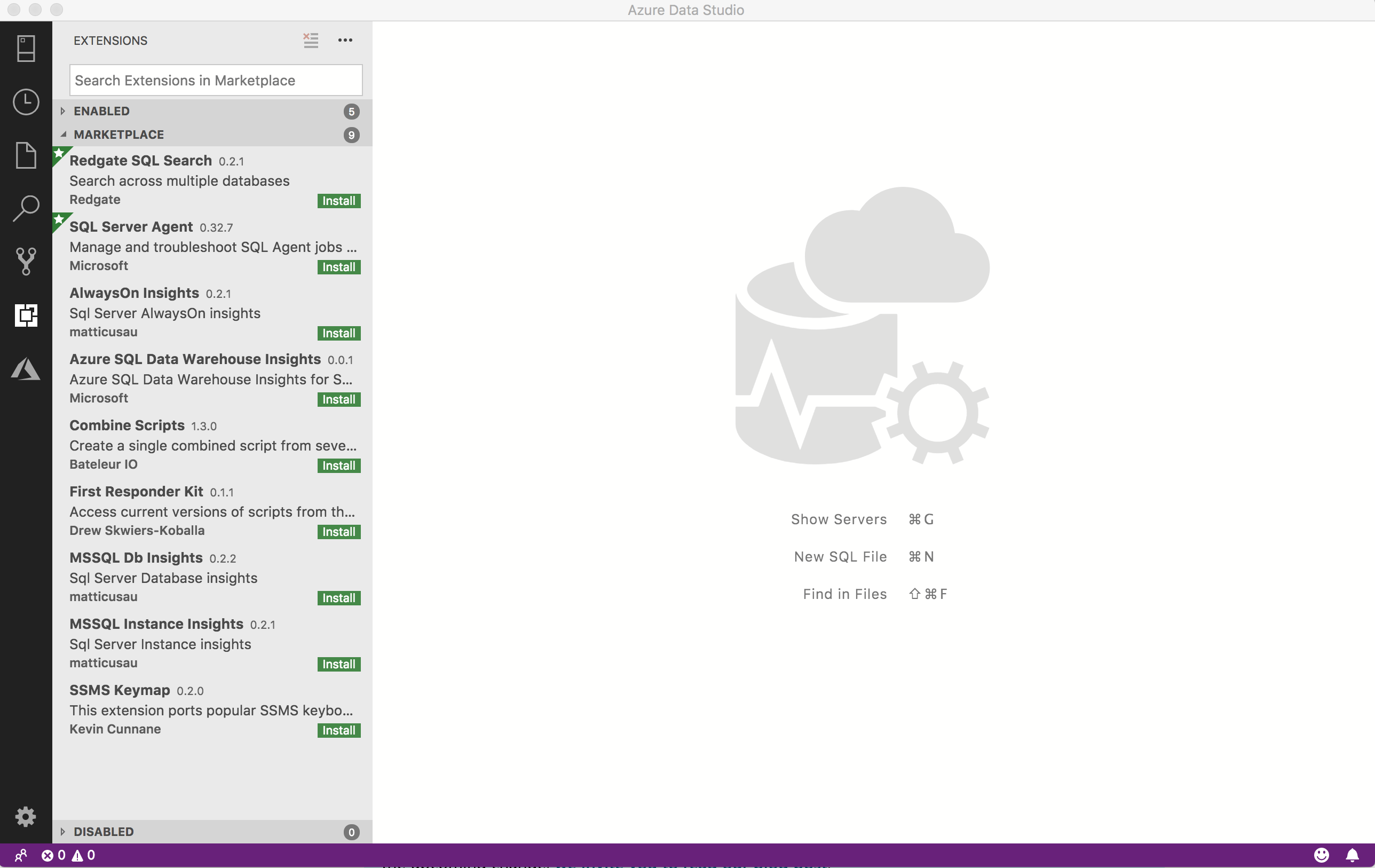
To open the extensions manager and access the available extensions, select the extensions icon, or select Extensions in the View menu.
-
Select an available extension to view it's details.
-
Select the extension you want and Install it.
-
Select Reload to enable the extension (only required the first time you install an extension).
-
Navigate to your management dashboard by right-clicking your server or database and selecting Manage.
-
Installed extensions appear as tabs on your management dashboard:
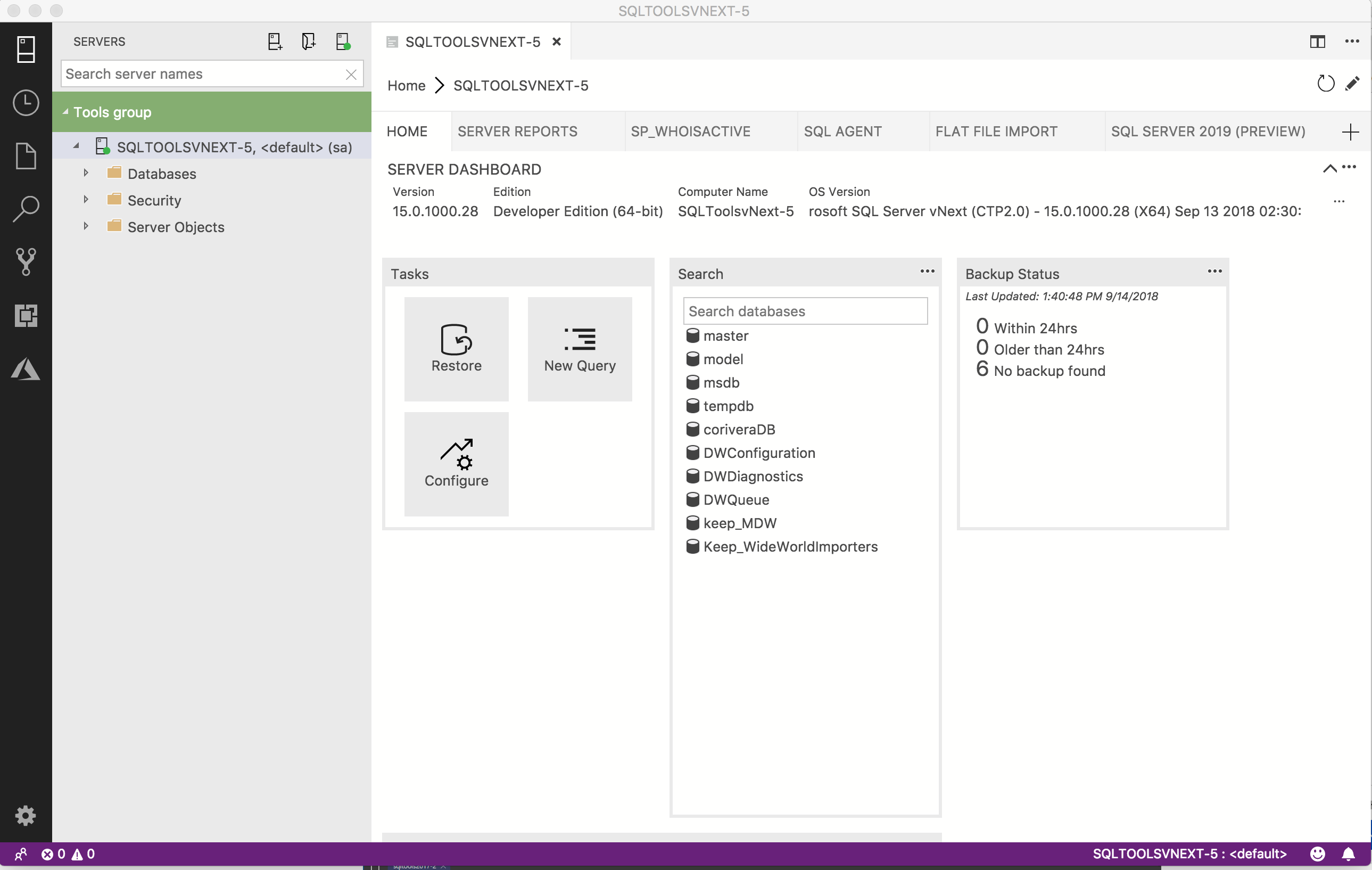


When you connect to the SQL Server Agent extension, the first thing you see is a list of all your Agent jobs.

To learn more about SQL Server Agent, check our documentation.